Squiggle to Bricks
Build your Chromie Squiggle with real bricks. Free, unofficial, personal use.
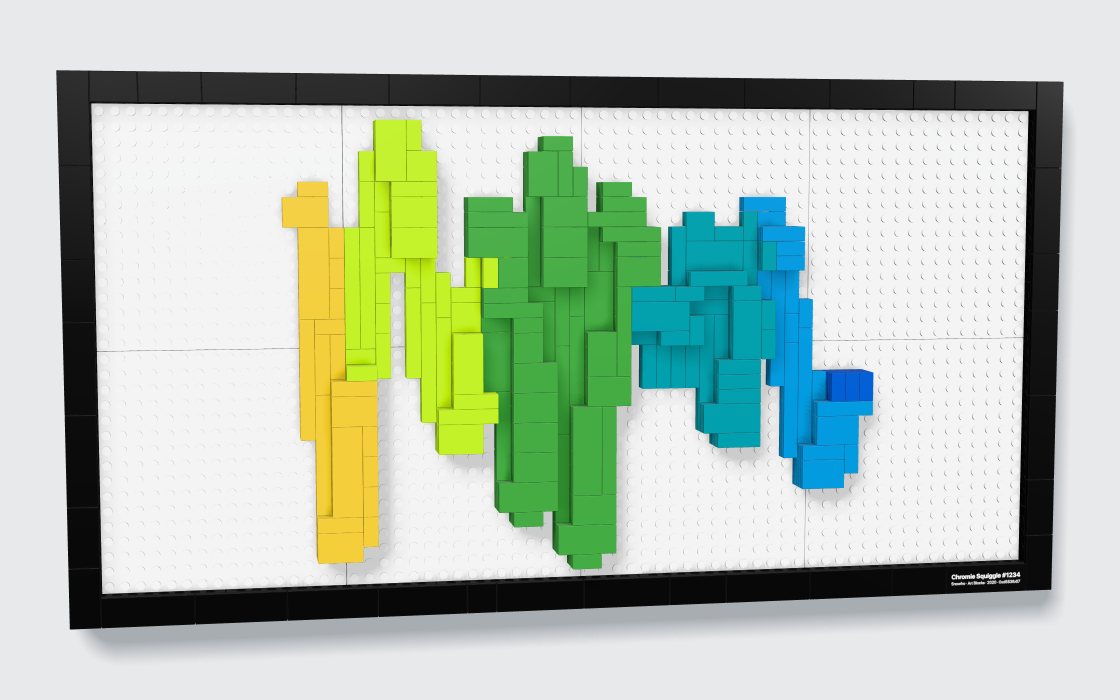
Type your Squiggle’s number: watch it build in 3D, flip through the step-by-step instructions and order the parts.
Nothing is uploaded. Your Squiggle comes from Art Blocks’ public API and is redrawn in your browser with its own script. No server, no account, no tracking.
Your Squiggle
Built and checked in your browser
Drag to turn · pinch or scroll to zoom
More info
Instructions
One page per step · flip through them here
Buy the bricks
You order and pay directly on LEGO or BrickLink. Nothing goes through this site.
Buy on LEGO Pick a Brick in 3 steps
- ✓Your LEGO list is downloadedSaved to your Downloads
- 2Go to Pick a BrickLEGO’s own shop for single pieces. Uploading a list isn’t available in every country.Open Pick a Brick ↗
- 3Click “Upload List”, then choose your fileIt’s next to the search bar. LEGO adds every piece it has to your bag and lists any it couldn’t add: get those on BrickLink.

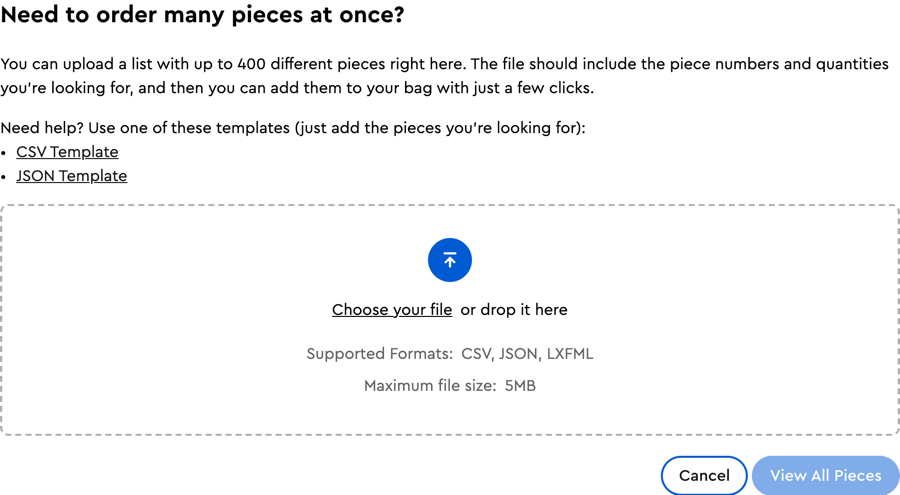
Screenshots of the Pick a Brick website, for guidance.
How ordering works
LEGO Pick a Brick is LEGO’s own shop for single pieces. “Buy on LEGO Pick a Brick” downloads your list (). On Pick a Brick, click “Upload List”, choose the file, then check your bag: LEGO lists any piece it couldn’t add. Uploading a list isn’t available in every country: check Pick a Brick for yours.
BrickLink is a marketplace of independent shops selling single pieces, including the ones LEGO has out of stock. “Buy on BrickLink” copies your list. Sign in (with a LEGO account), open Want → Upload, choose “Upload BrickLink XML format”, paste, then open the new wanted list and use “Buy All” to find shops.
The cost shown is an estimate from Pick a Brick prices (Sept 2026), an order of magnitude only: your shop sets the real price, plus shipping.
Files: · ·
Questions
Is this official?
No. Squiggle to Bricks is a free, open-source, unofficial fan project, not affiliated with, sponsored or endorsed by Art Blocks, Snowfro, the LEGO Group or BrickLink. It sells nothing and earns nothing: no affiliate links, no commission, no tracking. Use it for your own Squiggle, for personal use: please don’t sell the models, the instructions or kits made from them.
Where does the Squiggle come from?
From Art Blocks’ public API: the site fetches your token’s data and its generator script, and redraws the Squiggle in your browser with that same script, in a sandbox, recording every circle it draws. That is the line the bricks follow. If the script can’t run, a faithful copy of it redraws the Squiggle from its hash; if Art Blocks can’t be reached, the site traces its published picture, or a picture you upload (the variant’s details are then approximate). Nothing is uploaded anywhere: your picture stays on your device.
Can I really build it?
Every model is checked by computer on its final piece list: all pieces are standard parts in real colours, every piece is attached (0 floating), no two pieces overlap (0 collisions), every piece of the Squiggle is held by at least two studs, and the table displays keep their centre of mass over the base. The site shows these checks for your model and says so plainly if one fails. Models have not been built with real bricks yet, so treat your first build as a test.
Relief or Mosaic? Frame, Floating or Backdrop?
The Relief turns the Squiggle into a ribbon of bricks that steps up where the line crosses itself, like the drawing. Hang it in its black Frame, stand it above a black base on clear supports (Floating), or in front of a white brick wall (Backdrop): the ribbon is the same in all three. The Mosaic is flat, tiles on black plates, like a pixel picture of your Squiggle.
What are the clear pieces?
On Floating and Backdrop, the ribbon stands on small Trans-Clear round pieces: a round 1×1 plate in a hole of the base, and two round 1×1 bricks on it. They are the hidden supports, and almost disappear. The instructions show where each one goes.
How do I hang the Frame?
Behind the Frame are four black Technic bricks with holes. Tie a picture cord through the holes of the two at the top and hang it on a picture hook, or on two hooks or a screw with a wall plug for the heavier Large Frame: the site tells you which for your model. The two bottom bricks keep it flat against the wall. The instructions have a “Hanging” page.
How do I get the bricks? What does it cost?
Under “Buy the bricks”: download the Pick a Brick file and upload it on LEGO Pick a Brick (“Upload List”), or copy the BrickLink list and upload it on BrickLink (Want → Upload). Every part of these models has a LEGO Element ID (stock varies). The cost shown is an estimate from Pick a Brick prices, an order of magnitude: you order and pay on those sites, never here.